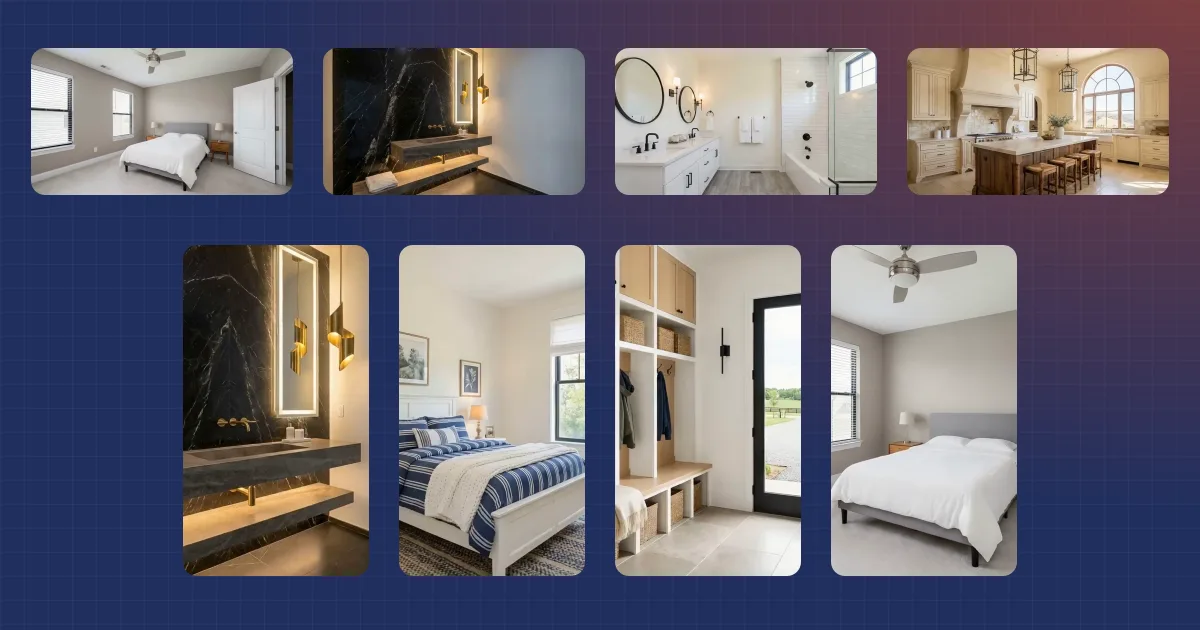
Most listing videos look the same: a slow push through each room, set to music. That's a problem in a feed built on short video. In 2026, short-form video is the brand content people most like to interact with, per Sprout Social's 2026 Content Strategy Report. That's true for 52% of Instagram users and 60% of TikTok users.
Here are real estate video ideas you can make from photos you already have. EZ Reel, the template side of Reel Estate, now has 13 AI video effects and five staging animations. Each one turns your listing photos into a shot worth stopping for. Picture a house that builds itself, a day that falls into twilight, or a porch that warps into the foyer. They sit inside our real estate video templates, so every effect lands in a finished reel cut to music.
Key takeaways
- Each effect starts or ends on your real listing photo, so the clip lands on the actual home.
- EZ Reel has 13 AI video effects and five staging animations, each built from your own listing photos.
- An effect or staging clip is 4 credits, an AI camera move is 3, and a still photo is free. Each clip is reused across every social cut.
- The MLS cut never carries an effect, and your social cuts carry no AI label, so disclose AI in the caption.
What are AI video effects for real estate?
An AI video effect replaces a photo's plain camera move with a generated clip of something happening to the home. In 2025, Reels took 46% of the time Americans spent on Instagram, up from 37% a year earlier, per Sensor Tower data reported by Yahoo Finance. Effects are built for that feed, where the first second decides the rest.
Every effect starts or ends on your own listing photo. EZ Reel makes a companion frame for the other end, such as an empty lot for House Build or a night sky for Day to Twilight. Then it generates the clip between the two, so the house at the end is the house you're selling. It's the same photo-to-video idea behind our AI real estate video tools, aimed at one shot.
We learned why that anchor matters while building this. In our tests, effects given only a start frame often finished on a different house. One grew a second story. Another moved the garage to the other side. Pinning each clip to the real photo fixed it, and that's why no effect in EZ Reel runs without your image at one end.
Which effects work on exterior photos?
Eight of the 13 effects are built for exterior photos. Exteriors make the strongest openers, because the whole home reads in one frame before anyone scrolls.
- House Build. A timelapse of the home rising from the ground up. Use a wide exterior that shows the lot, not a tight or narrow shot.
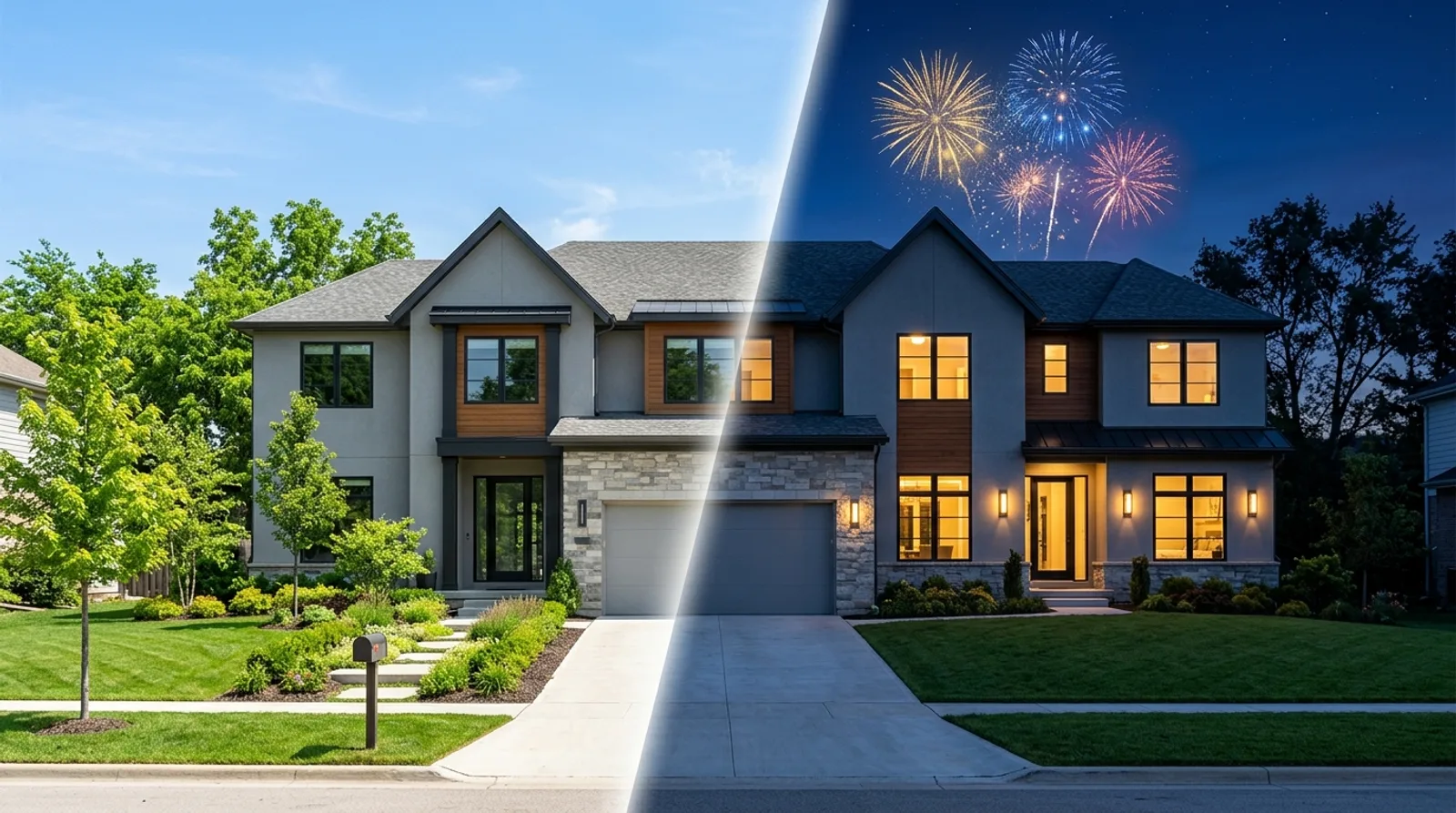
- Day to Twilight. The scene moves from daylight into evening and then night. Start from a daytime photo, never a twilight one.
- Lightning Strike. A night storm, a strike, then the smoke clears to reveal the home. Use a wide exterior with sky above the roof.
- Helicopter Drop-Off. A sky-crane helicopter lowers the home onto its lot. Use a wide exterior with open sky above it.
- Cloud Reveal. The camera descends through clouds to the property. Drone-style photos from above work best.
- Bus Reveal. A bus blocks the view, then drives off to reveal the house. Use a photo taken from the street, not a drone shot.
- Dog Lead-In. Follow a happy golden retriever to the front door. The door needs to be clearly visible.
- Fireworks. A fireworks show above the property. It needs an exterior with open sky.
Which one should open your reel? For new construction, House Build tells the whole story by itself. For a home with a view, Day to Twilight shows that view twice, once in daylight and once lit up at dusk.
Which effects work inside the home?
Four effects act on the room itself, and a fifth, Warp, joins two photos into one move. Interior effects need something in the room to act on, so the photo matters more here than outside.
- Timelapse. The property through a day. Pick scenes with something that changes, like trees outside a window. A windowless wine cellar won't change.
- Shadows. Sunlight and shadows sweep across a room as the day passes. Use a daytime room with windows.
- Spinning Fan. Turns on the ceiling fans. The fan must be in full view, not cropped or blocked.
- Earthquake. Shakes everything in the scene for a bold opener. Keep the floor in frame.
Warp is the one effect that uses two photos. It swoops from this photo into another one you pick, such as the front porch into the foyer. It looks most natural between spaces that connect in real life, with a door or opening between them. Two unrelated rooms work too, though they read as a cut rather than a walk.
How does staging animation work?
Staging animation makes a room's own furniture arrive on camera, ending on your real photo. The clip starts on an emptied copy of your furnished room and finishes on the original. So in a furnished room, every piece that arrives is real.
There are five styles:
- Drop In. Pieces drop in from above, one by one.
- Warp In. Each piece warps into place from a point of light.
- Materialize. Everything fades in together as a glow passes.
- Slide In. Pieces glide in from the edges.
- Build Up. The furniture assembles itself, frames first.
In a furnished room, this is the honest version of the trick. A buyer who tours the home finds the same sofa that dropped into the video, at the same true scale.
An empty room is different. Staging animation needs furniture to animate, so you'd furnish the photo first with AI virtual staging and animate the staged photo. That furniture is AI, and the buyer won't find it on a tour. Label both the photo and the video as virtually staged, and check your MLS's rules for where the label goes.
How much do real estate video effects cost?
An effect or staging clip costs 4 credits, an AI camera move costs 3, and a photo left still costs nothing. Compare that with a shoot: a real estate photographer averaged $150 an hour in 2025, per Thumbtack, and video is a second job on top.
| Shot type | Credits per clip |
|---|---|
| Still photo | 0 |
| AI camera move (zoom, orbit, drone pass) | 3 |
| Video effect or Warp | 4 |
| Staging animation | 4 |
Clips are made once and reused across the whole batch. On a paid plan, take a 20-photo reel with three effects and an AI move on the other 17 photos. That's 12 credits for the effects plus 51 for the moves, so 63 in all. You pay it once, whether you render one video or six. Our guide to making listing videos in batches walks through a full run.
The MLS cut is the exception. It never carries an effect or a staging animation, so those photos get a plain move of the original photo there instead. In that example, it adds three moves, or 9 credits. The credit rail shows the full count before you press Generate.
The free plan works too. It makes two videos from up to 10 photos, without the MLS cut. Two effects plus AI moves on seven more photos, with one photo left still, comes to 29 credits, inside the free 30. Paid plans make up to six videos plus the MLS cut, from up to 20 photos. Videos render at 720p by default, with 1080p on the Agent, Pro and Enterprise plans.
How do you turn these real estate video ideas into a reel?
Put your strongest effect first, and keep effects to a few accent shots per reel. In 2025, social media was agents' top source of quality leads at 39%, ahead of a CRM at 23%, per the 2025 REALTORS Technology Survey report. On social, the first shot decides whether anyone sees the second.
Think of an effect as punctuation. Open on one, let plain camera moves carry the walkthrough, and close on another, with a Warp or a staging clip in between at most. A reel that's all effects reads as a demo, not a home, and buyers came to see the home.
A pattern that works:
- Open on an exterior effect: House Build, Lightning Strike or Bus Reveal.
- Warp from the exterior into the entry.
- Walk the main rooms with plain camera moves, plus one staging animation in a furnished living room.
- Close on Day to Twilight or Fireworks.
That's four effect clips across a full reel. On a 20-photo listing, the other 16 photos stay plain, which keeps the tour readable and the credit count low.
Do you need to disclose AI video effects?
Yes, and the rules vary. Effects, staging animation and AI camera moves are all AI-generated media, so treat them that way. In EZ Reel, the MLS cut carries an AI-Generated label on the frame. The social cuts don't, so say so in the caption when you post them.
A caption line like "Video effects created with AI" is a good start. Also turn on the platform's own AI label where it offers one. Rules differ by state, MLS and platform, and they keep changing. Our AI disclosure guide covers what to say and where. Reel Estate doesn't detect your local rules for you, so check yours before you post.
Which real estate video idea should you try first?
Start with one exterior effect on your next listing, and post the vertical cut on listing day. Your listing video does a second job, too: in Zillow's 2025 Consumer Housing Trends Report, 36% of sellers found their agent online (Zillow, December 2025). The reel that sells this home is also your pitch to the next seller.
Browse every template, song and effect, with example clips, on the EZ Reel templates page. You can start free with a one-time 30 credits and no card.
Sources
- Sprout Social, "60+ Social Media Video Statistics" (2026 Content Strategy Report), February 27, 2026, retrieved 2026-09-17, https://sproutsocial.com/insights/social-media-video-statistics/
- Yahoo Finance UK (Sensor Tower data), "Most Instagram ads now run on Reels," January 20, 2026, retrieved 2026-09-17, https://uk.finance.yahoo.com/news/most-instagram-ads-now-run-130010702.html
- National Association of REALTORS, 2025 REALTORS Technology Survey report, page 9, September 18, 2025, retrieved 2026-09-22, https://cms.nar.realtor/sites/default/files/2025-09/2025-realtors-technology-survey-report-09-18-2025.pdf
- Zillow, "Online research now shapes how most agent relationships begin" (2025 Consumer Housing Trends Report), December 30, 2025, retrieved 2026-09-17, https://investors.zillowgroup.com/news-and-events/news/news-details/2025/Zillow-report-Online-research-now-shapes-how-most-agent-relationships-begin/default.aspx
- Thumbtack, "How much does real estate photography cost?", updated August 12, 2025, retrieved 2026-09-17, https://www.thumbtack.com/p/real-estate-photography-prices
Frequently asked questions
- What are AI video effects for real estate?
- They are generated clips that replace a listing photo's plain camera move. In Reel Estate's EZ Reel, effects like House Build or Day to Twilight start or end on your own photo. So the clip lands on the real home. Each effect clip costs 4 credits, and it appears in every social cut of the reel.
- Which photos work best for real estate video effects?
- Match the effect to the scene. Exterior effects like House Build and Fireworks need a wide shot with land or sky in view. Interior effects need a feature to act on: Spinning Fan needs a ceiling fan in full view, and Earthquake needs the floor in frame. EZ Reel shows these tips when you hover each effect.
- Do AI video effects show up in the MLS video?
- No. The MLS cut never carries an effect or a staging animation. Those photos get a plain camera move of the original photo in that cut instead, and each of those clips adds 3 credits. The MLS cut also carries an AI-Generated label, while the social cuts don't, so disclose AI in your captions.
- Can EZ Reel stage an empty room in the video?
- Not directly. Staging animation starts on an emptied copy of a furnished room and ends on your real photo. The furniture that arrives is the furniture the buyer will see. For an empty room, virtually stage the photo first, then label the photo and the video as virtually staged.

Jeff Goyette · Co-Founder & CTO
Co-founder and CTO of Reel Estate, building the AI video generation and staging product.