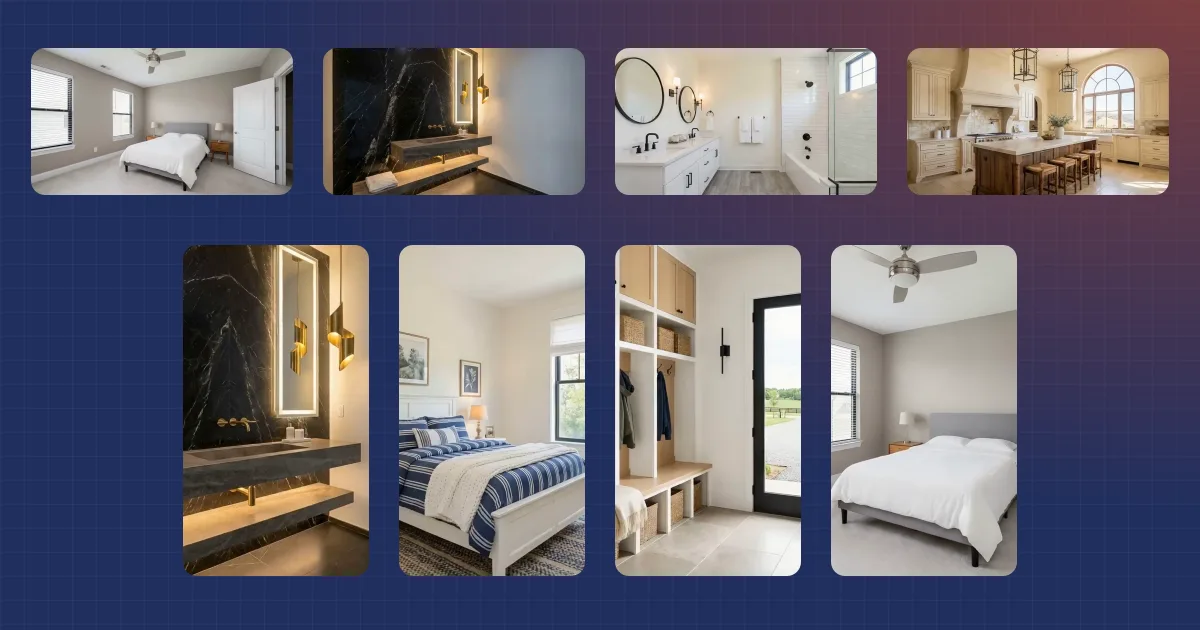
How to Make Listing Videos in Batches with EZ Reel
In 2025, Reels took 46% of the time Americans spent on Instagram, up from 37% the year before. That is Sensor Tower data, reported by Yahoo Finance in January 2026. Short video is where the scroll goes, and most listings never show up there. Not for lack of interest. To make listing videos by hand, you give up an evening per cut, and a listing needs more than one.
EZ Reel Video Maker is how we solved that inside Reel Estate. You upload a listing's photos once to make listing videos in a batch. On a paid plan, up to six finished cuts come back, vertical and wide, with the music cut to the beat, plus a silent cut for the MLS. No timeline.
This guide walks through what it does, how the batch is built, and how to run your first one in five minutes. For the wider picture, our AI real estate video hub covers every way to get video out of a listing.
Key takeaways
- Reels took 46% of US Instagram time in 2025, up from 37% (Sensor Tower via Yahoo Finance, 2026).
- One upload gives you up to seven finished listing videos on a paid plan: six vertical or wide cuts plus a silent MLS cut.
- Cuts and text cards land on the beat. No timeline, no separate editing app.
Guide navigation
- 1. Why do listings need video marketing in 2026?
- 2. What is EZ Reel Video Maker? Overview and core capabilities
- 3. Standout features: beat matching, templates, and batch generation
- 4. How to create 7 listing videos at once (step by step)
- Frequently asked questions
1. Why do listings need video marketing in 2026?
In 2026, short-form video is the brand content users are most likely to interact with. That holds for 60% of TikTok users and 52% of Instagram users, per Sprout Social's 2026 Content Strategy Report. Buyers stop for it. And they stop on the two platforms where you post listings.
The audience is broad, not niche. As of 2025, half of US adults use Instagram and 37% use TikTok, according to the Pew Research Center. Among adults 18 to 29, the Instagram figure reaches 80%, and that younger band is where first-time buyers live.
Agents are already there, and it pays. In 2025, 75% of NAR members used social media, per the National Association of REALTORS 2025 Technology Survey. Social was their top source of quality leads at 39%, per the full 2025 REALTORS Technology Survey report. A CRM came second at 23% and the local MLS third at 17%, a wide gap.
Sellers notice too: in Zillow's 2025 Consumer Housing Trends Report, 36% of sellers found their agent online (Zillow, December 2025). Your listing media is the interview before the interview.
So why do most listings still go without a video? Cost and time.
In 2025, a real estate photographer averaged $150 per hour, with packages quoting 24 to 48 hour delivery, per Thumbtack. Video is a second shoot on top of that, or a night in an editing app. And a listing doesn't need one video. In 2026, a listing needs a few verticals for Reels, a wide cut for the listing page and for social posts, and a clean file for MLS.
2. What is EZ Reel Video Maker? Overview and core capabilities
Reel Estate's EZ Reel Video Maker is an AI video maker that turns one photo set into a batch of listing videos. Every cut lands on the beat of the song, and the finished batch covers social media and the MLS. There's no timeline to learn: you type an address, upload photos, tick the looks and songs you want, and press Generate.
It's part of every Reel Estate account. A free account starts with a one-time 30 credits, which covers one reel of up to 10 photos. Exports carry a watermark. Paid plans lift the photo count to 20 per reel, remove the watermark, and refresh credits each billing cycle.
Every listing video is made of clips at 3 credits per photo, and the rail shows the cost before you commit. Clips are made once and shared by every look, shape, and song you tick, and extra looks cost nothing more. A 12-photo reel costs 36 credits whether you tick one output or six. A re-submit reuses any clip already made, so a second run costs less than the first. No clip is billed twice.
What comes out of one upload:
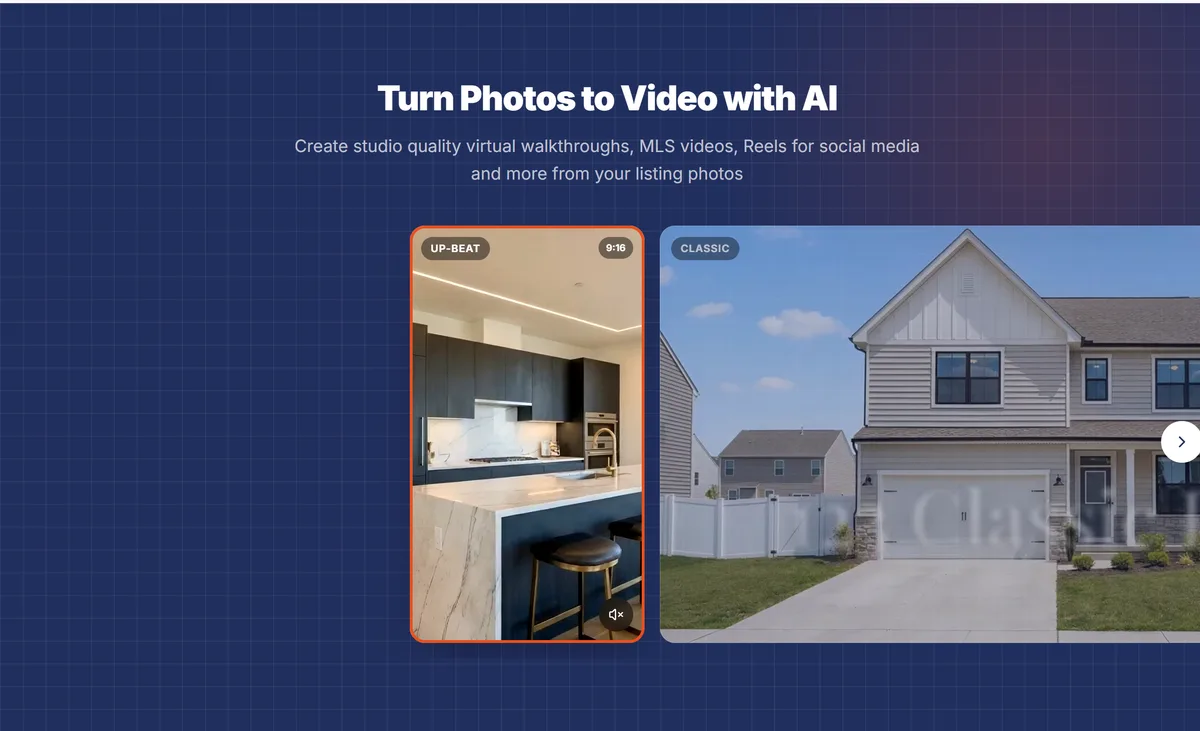
- Five looks. Classic, Up-beat, Smooth, Adventurous, and Rockin' Out, each with its own songs and text styling.
- Two shapes per look. Vertical 9:16 for Reels, TikTok, and Shorts, or wide 16:9 for the listing page.
- An MLS cut. Wide, music-free, and made for the listing submission. Paid plans only, and it sits on top of your plan's videos per reel.
- Text cards from your listing data. Price, beds, baths, and square footage prefill the cards, and the address runs as an overlay across the opening shot of every social cut. A $425,000 price card lands on a beat, not in the middle of a phrase.
- Camera motion on every photo. Automatic by default. Pick zoom or orbit per photo if you want a specific move.
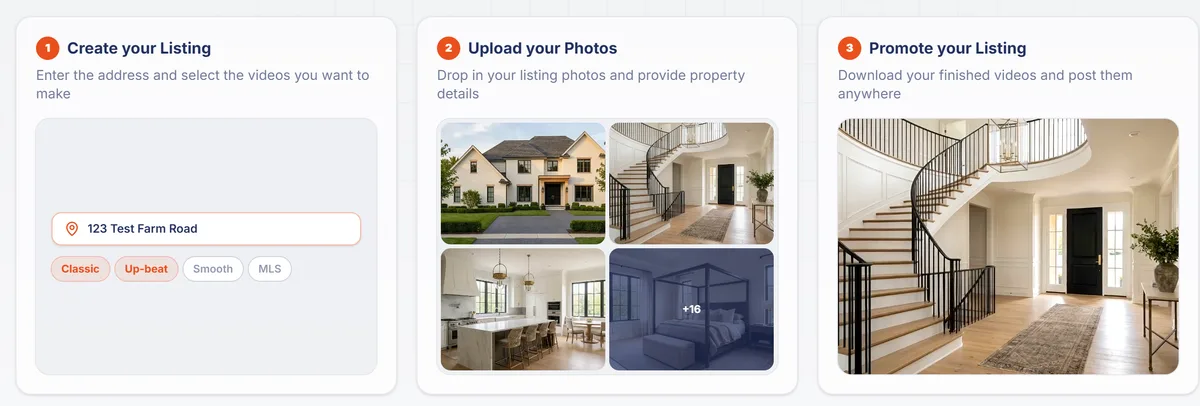
It takes about five minutes of your time, and the render runs in the background while you do something else.
If you want the basics of photo-to-video first, our guide to turning listing photos into a real estate video covers them.
This post is about the batch.
3. Standout features: beat matching, templates, and batch generation
Three things set EZ Reel apart from making one video at a time. It makes the whole set, it cuts to the music, and the looks are built for listings. Each one changes the posted video.
Multi-video batching: make 7 listing videos at once from photos
On a paid plan, one upload can become up to six finished videos, plus the MLS cut on top. The free plan makes two, without the MLS cut. Each output is one look in one shape with one song, so a vertical and a wide cut of the same look count as two. The credit rail counts your outputs against the limit as you tick looks and shapes. Same photos, same order, every output.
Batching is where the time goes back into your week. Cutting one reel by hand takes an evening, and it still leaves you without a wide cut or an MLS file. Here the whole set renders while you're at a showing. On a re-submit, EZ Reel reuses any clip it has already made, and the price on the rail drops to show it.
Automated beat matching: video that moves with the music
Each look ships with songs written for it, and EZ Reel places the cuts and the text cards on that song's beats. The photo changes when the music does, and a price card lands on a musical cue, not mid-phrase. You hear it. That's the difference between a slideshow with a song under it and a reel that feels edited.
You don't set any of this. Tick more than one song for a look and you get a version per song, each cut to its own track. The photo count sets the runtime, so more photos means more of the song, not a faster cut. The MLS output is silent by design: no music, no beat cutting, and no text cards or captions. The only thing printed on it is the AI Modified label. MLS media rules vary, so check yours before you upload.
Versatile video templates: listing videos for social media and MLS virtual walkthroughs
The five looks are templates built for listings, not for generic clips. Each one pairs a pace, a text style, and a set of songs, and each renders in either shape. The MLS cut is separate: one clean wide file, no soundtrack, ready for the MLS upload and the listing page.
Where buyers are decides where each cut belongs. As of 2025, YouTube reaches 84% of US adults, Facebook 71%, Instagram 50%, and TikTok 37% (Pew Research Center, 2025). Among NAR members, Facebook (87%) and Instagram (62%) are the platforms most used for business, per NAR's 2024 Technology Survey. One upload gives you a cut for each.
| Cut | Where it belongs | Why |
|---|---|---|
| Vertical 9:16 | Instagram Reels, TikTok, YouTube Shorts, Facebook Reels | Full-screen on a phone, where these platforms recommend video |
| Wide 16:9 | The listing page, YouTube, your email blast | Matches the photos the buyer will scroll next |
| MLS cut (wide, no music) | Your MLS submission and the listing itself | No music or text cards, only the AI Modified label; check your MLS's media rules |
4. How to create 7 listing videos at once (step by step)
The whole run takes about five minutes of your time. The only decisions are in steps 1 and 3. The walkthrough below is how to create listing videos in a batch in a Reel Estate account today.
Step 1: Log in and select EZ Reel in your Reel Estate dashboard
Open EZ Reel from your dashboard and start a new reel. Type the address and let autocomplete fill the rest. The address is how your reels are listed later, and it prints on the social cuts, so don't leave a placeholder. Add the price, beds, baths, and square footage now, because they prefill the text cards and the numbers match the listing.
Step 2: Upload your property photo suite
Drag in 5 to 20 listing photos (5 to 10 on the free plan), and JPG, PNG, or WebP all work. Large camera files are compressed in your browser before upload, so a 20 MB image doesn't slow you down. The tray reflows as you drag. What you see is the order you'll get.
Put the strongest photo first, because order matters. The first frame is the cover and the hook on a feed, and it decides whether the reel earns a second second.
Every tile has crop, staging, motion, and hide buttons, and crop reframes a wide MLS photo for the vertical cut. On paid plans, staging can furnish an empty room in a few styles before it becomes a clip. For the full toolset, stage the photo first in AI virtual staging and upload the result. Hide is reversible.
If you stage or relight a photo, say so when you post, and keep the original available in case anyone asks. Rules vary by MLS and state. Check yours, and see our AI disclosure guide for listing photos and video for what to label.
Step 3: Choose your video templates and music tracks
Tick the looks you want and pick vertical, wide, or both for each, and tick MLS for the compliance cut (paid plans). The Choose step lists only the songs written for the look you're picking, so you're not scrolling the whole library. Tick two songs and you'll get two versions. Same photos.
Watch the credit rail on the right as you go. It counts your outputs against your plan's videos per reel, lists the MLS cut separately, and shows the cost up front. If the rail is still empty, the address or a look is missing.
No surprises at checkout.
Step 4: Preview beat-matched cuts and export the batch
Press Generate. Progress is live per output, and the render runs while you do something else, so preview each output when it's done. A look you made in several songs shows as one stack, so hover to spread it or use the row toggle.
Watch one all the way through.
Fix without starting over. Edit opens over the reel with photos, music, and text on one surface, and one output can be edited while another renders. Each finished video has its own Download button that saves the MP4, and on the MLS cut it reads Download MLS Video.
The MLS cut carries an AI Modified label on the video itself, because its motion is AI-generated from still photos. The social cuts don't carry a label, so disclose the AI motion in your caption wherever your state or platform requires it.
Resolution is 720p by default on every plan. On Agent, Pro, and Enterprise, a 1080p option sets the whole reel to HD at no extra credit cost.
Want narration? Export the wide cut into the editor and add an AI voiceover to your listing video. Clone your own voice, or pick one from the shelf. One limit: EZ Reel doesn't add captions yet, so if you narrate, add them with the platform's tools when you post.
Start with the listing you have open now
You don't need to film anything to make listing videos for every channel. Address, photos, looks, generate. That's the whole workflow, and the batch renders while you work, so the time you spend is five minutes at the start.
In 2025, 39% of NAR members said their best leads came from social. The listing you skip is the one a competitor reaches. Start free with 30 credits, run the first batch from the photos you already have, and post the vertical on listing day.
Sources
- Yahoo Finance UK (Sensor Tower data), "Most Instagram ads now run on Reels," January 20, 2026, retrieved 2026-09-17, https://uk.finance.yahoo.com/news/most-instagram-ads-now-run-130010702.html
- Sprout Social, "60+ Social Media Video Statistics" (2026 Content Strategy Report), February 27, 2026, retrieved 2026-09-17, https://sproutsocial.com/insights/social-media-video-statistics/
- Pew Research Center, "Americans' Social Media Use 2025," November 20, 2025, retrieved 2026-09-17, https://www.pewresearch.org/internet/2025/11/20/americans-social-media-use-2025/
- National Association of REALTORS, 2025 REALTORS Technology Survey press release, September 18, 2025, retrieved 2026-09-17, https://www.nar.realtor/press-releases/realtors-embrace-ai-digital-tools-to-enhance-client-service-nar-survey-finds
- National Association of REALTORS, 2025 REALTORS Technology Survey report, page 9 (top lead-generating technologies: social media 39%, CRM 23%, local MLS 17%, brokerage website 13%, digital ads 12%, business website 12%, listing portals 9%), September 18, 2025, retrieved 2026-09-22, https://cms.nar.realtor/sites/default/files/2025-09/2025-realtors-technology-survey-report-09-18-2025.pdf
- National Association of REALTORS, "Social Media" (2024 Technology Survey platform figures), retrieved 2026-09-17, https://www.nar.realtor/social-media
- Zillow, "Online research now shapes how most agent relationships begin" (2025 Consumer Housing Trends Report), December 30, 2025, retrieved 2026-09-17, https://investors.zillowgroup.com/news-and-events/news/news-details/2025/Zillow-report-Online-research-now-shapes-how-most-agent-relationships-begin/default.aspx
- Thumbtack, "How much does real estate photography cost?", updated August 12, 2025, retrieved 2026-09-17, https://www.thumbtack.com/p/real-estate-photography-prices
Frequently asked questions
- How do I make 7 listing videos at once with Reel Estate?
- Open EZ Reel, type the address, and upload 5 to 20 listing photos (5 to 10 on the free plan). Tick the looks you want in vertical, wide, or both, and press Generate. Paid plans make up to six videos plus the MLS cut; the free plan makes two, without the MLS cut. Every output renders from the same photos. Your plan sets the videos per reel, and the credit rail shows the count and the exact credit cost first.
- What is beat matching in EZ Reel Video Maker?
- Each look ships with songs written for it. EZ Reel places the cuts and the text cards on that song's beats. The video moves with the music instead of over it. Pick more than one song and you get a version per song from the same photos. The MLS cut is silent on purpose, so nothing is beat-cut there.
- Do I need video editing experience to use EZ Reel?
- No. There is no timeline. You type an address, upload photos, tick looks and songs, and press Generate. Camera motion, music, and text cards are applied for you. If you want changes, Edit opens over the finished reel with photos, music, and text on one screen. You can also export a cut into the full editor for a voiceover.
- Can I use EZ Reel videos for both MLS listings and social media?
- Yes. Every look renders as a vertical 9:16 reel for Instagram, TikTok, and YouTube Shorts. It also renders as a wide 16:9 cut for the listing page and YouTube, or both at once. On paid plans, the MLS output is a separate wide, music-free file for your MLS submission. Videos render at 720p by default, with a 1080p option on Agent, Pro, and Enterprise plans.

Harrison Kaye · Co-Founder & CEO
Co-founder and CEO of Reel Estate and a licensed Texas real estate agent.